Verify Email Address Without Sending Email: Complete Guide to Safe Email Verification

On this page
- Can You Verify an Email Address Without Sending an Email?
- Quick Answer:
- Table of Contents
- 1. What Does It Mean to Verify an Email Without Sending?
- 2. How Email Verification Works
- 3. Step 1: Check Email Syntax
- 4. Step 2: Check the Domain
- 5. Step 3: Check MX Records
- 6. Step 4: Perform an SMTP Check
- 7. Step 5: Detect Catch-All and Risky Emails
- 8. What Do Email Verification Results Mean?
- 9. Email Verification Without Sending vs. Sending a Test Email
- 10. How to Verify an Email Address Online
- 11. How to Verify Email Addresses in Bulk
- 12. Can You Verify Gmail and Other Webmail Addresses?
- 13. Why Email Verification Matters for Deliverability
- 14. How to Verify Emails Before Cold Outreach
- 15. How LeadCanal Can Help Verify Email Addresses
- 16. Common Email Verification Mistakes
- 17. FAQs
- 18. Conclusion
If you want to verify an email address without sending email, you do not need to send a test message and wait for a bounce.
Modern email verification methods can check an address through a combination of syntax validation, domain and DNS checks, MX record lookup,
SMTP server checks, and risk signals such as catch-all or disposable email detection.
This approach is especially useful for sales teams, marketers, recruiters, lead-generation companies, SaaS businesses, and anyone managing a large email database.
Sending test emails to questionable addresses can create unnecessary bounces, while a dedicated email verification tool can evaluate an address before you send a campaign.
The key point is simple: you can verify useful signals about an email address without delivering an email to the recipient.
However, verification is not an absolute guarantee that a message will reach the inbox because mailbox status and receiving-server policies can change.
Can You Verify an Email Address Without Sending an Email?
Quick Answer:
Yes. You can verify an email address without sending email by using an email verifier that performs technical checks behind the scenes.
A typical verification process can include:
- Email syntax and format validation
- Domain validation
- DNS and MX record lookup
- SMTP server connection
- SMTP mailbox-level checks
- Disposable email detection
- Role-based email detection
- Catch-all or accept-all detection
- Risk and deliverability signals
An leadcanal email verifier can connect to the receiving mail infrastructure and determine whether the domain and mailbox appear able to accept email without transmitting a normal message.
Hunter and Verifalia both describe verification processes that check mailbox or server signals without sending an actual email message.
Table of Contents
- What Does It Mean to Verify an Email Without Sending?
- How Email Verification Works
- Step 1: Check Email Syntax
- Step 2: Check the Domain
- Step 3: Check MX Records
- Step 4: Perform an SMTP Check
- Step 5: Detect Catch-All and Risky Emails
- What Do Email Verification Results Mean?
- Email Verification Without Sending vs. Sending a Test Email
- How to Verify an Email Address Online
- How to Verify Email Addresses in Bulk
- Can You Verify Gmail and Other Webmail Addresses?
- Why Email Verification Matters for Deliverability
- How to Verify Emails Before Cold Outreach
- How LeadCanal Can Help Verify Email Addresses
- Common Email Verification Mistakes
- FAQs
- Conclusion
1. What Does It Mean to Verify an Email Without Sending?
When people search for “verify email address without sending email,” they usually want to know whether an email address is valid before contacting the recipient.
Email verification is different from email confirmation.
A confirmation process normally sends a message containing a verification link or code. Email validation works differently.
It evaluates technical information associated with the address and its mail server without requiring a delivered test message.
For example, an email verifier may determine:
- Whether the address has valid formatting
- Whether its domain exists
- Whether the domain has mail exchange records
- Whether a receiving SMTP server responds
- Whether the mailbox appears to be accepted by the server
- Whether the domain behaves like a catch-all
- Whether the address appears disposable or risky
This makes email address verification particularly valuable before sending cold emails, newsletters, sales sequences, or other campaigns.
2. How Email Verification Works
A good email verification process is not based on one simple test. It is a series of checks performed in stages.
LeadCanal Email Verifier helps simplify this process by checking email addresses for syntax, domain, MX records, mailbox validity, and other risk signals before you use them in your campaigns.
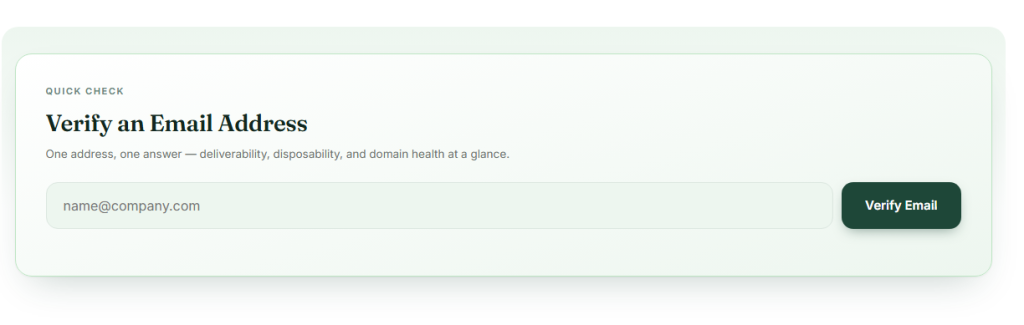
The basic workflow looks like this:
Email address → Syntax check → Domain check → MX lookup → SMTP check → Risk analysis → Final status
Instead of performing these checks manually, you can use LeadCanal Email Verifier to quickly verify email addresses and identify potentially invalid or risky contacts.
The advantage is that many obviously invalid addresses can be filtered out before a campaign is sent, helping improve email list quality and reduce unnecessary bounces.
3. Step 1: Check Email Syntax
The first step is email syntax validation.
An email address generally follows a structure such as:
name@domain.com
A verification system can check whether the address contains the expected components and whether obvious formatting problems exist.
For example:
john@company.comproperly structuredjohncompany.commissing@john@missing domain@company.commissing local partjohn@@company.commalformed structure
Syntax checking is useful, but it does not prove that the mailbox exists.
An address can have perfect formatting and still be completely inactive.
That is why professional email verification tools continue with domain, DNS, MX and server-level checks.
4. Step 2: Check the Domain
The next step is determining whether the domain itself exists and can participate in email delivery.
For example:
john@example.com
The verifier can examine:
example.com
If the domain does not exist or is not properly configured for email, the address is unlikely to be deliverable.
This step can identify common problems such as:
- Misspelled domains
- Expired domains
- Nonexistent domains
- Domains without proper mail configuration
- Typographical errors such as
gamil.cominstead ofgmail.com
Domain validation therefore adds another layer beyond basic syntax checking.
5. Step 3: Check MX Records
An MX record, or Mail Exchange record, tells the internet which mail servers are responsible for receiving email for a domain.
For example, when verifying:
person@company.com
the verification system can check whether company.com has appropriate mail-routing information.
If a domain has no usable mail route, there may be no server capable of receiving messages for that domain.
This is why MX record lookup is one of the common components of email verification. Hunter and other verification services describe MX and DNS checks as part of their validation process.
However, an MX record alone does not prove that a specific mailbox exists.
It only tells you that the domain has mail infrastructure.
6. Step 4: Perform an SMTP Check
This is where SMTP email verification becomes more powerful.
SMTP stands for Simple Mail Transfer Protocol, the protocol used for email transmission.
During an SMTP-based verification process, a verifier may connect to the recipient’s mail server and communicate far enough to determine whether the server appears willing to accept mail for the specified address.
Importantly, the process can stop before actual message content is transmitted.
A simplified workflow is:
- Connect to the recipient mail server.
- Establish the SMTP conversation.
- Identify the sender.
- Ask whether the recipient address can be accepted.
- Analyze the server response.
- End the connection without transmitting a message.
This is why an email verifier can sometimes determine whether an address appears valid without sending an actual email. Hunter specifically describes its SMTP check as testing whether the server is willing to accept emails for the address without sending an email.
There is an important limitation, however: some mail servers block, obscure, or intentionally make mailbox-level verification difficult.
Therefore, SMTP verification should be treated as one signal rather than an absolute guarantee.
7. Step 5: Detect Catch-All and Risky Emails
One of the most important parts of modern email validation is identifying addresses that cannot be confidently classified.
What Is a Catch-All Email?
A catch-all, also called an accept-all domain, is configured so that the server accepts messages for many or all addresses under the domain.
For example, you might check:
random123@company.com
and the server accepts the recipient even though that mailbox may not actually exist.
In this situation, the verifier cannot confidently prove that a specific mailbox is active.
Hunter describes accept-all results as a situation where the domain accepts all emails, making it difficult to confirm a specific mailbox.
What Is a Disposable Email?
Disposable email addresses are temporary addresses created for short-term use.
They can be problematic for:
- Lead generation
- CRM databases
- B2B outreach
- Account registration
- Long-term customer communication
A professional email checker can flag many known disposable domains before you use them.
What Is a Role-Based Email?
Examples include:
info@company.comsales@company.comsupport@company.comadmin@company.com
These addresses may be valid, but they are different from an individual contact address.
Whether you keep or remove them depends on your campaign.
8. What Do Email Verification Results Mean?
Different email verification platforms use different labels, but common outcomes include:
| Result | What It Usually Means |
|---|---|
| Valid | Address passed available verification checks |
| Invalid | Address failed one or more important checks |
| Accept-All | Domain accepts recipients broadly, so certainty is limited |
| Disposable | Address appears associated with a temporary email provider |
| Unknown | Verification could not reach a reliable conclusion |
| Blocked | Receiving server prevented the verification process |
A valid result should not be interpreted as a permanent guarantee. Mailboxes can become inactive after verification, and receiving-server policies can change. Hunter explicitly notes that email verification cannot guarantee that an address will never bounce.
9. Email Verification Without Sending vs. Sending a Test Email
There are two very different approaches.
| Method | Sends Email? | Scalable? | Recommended? |
|---|---|---|---|
| Syntax check | No | Yes | Yes |
| DNS/MX check | No | Yes | Yes |
| SMTP verification | No message delivery | Yes | Yes |
| Professional email verifier | No message delivery | Yes | Yes |
| Manual test email | Yes | No | Usually no |
| Bulk test sending | Yes | Poor | No |
Sending a test email simply to discover whether an address exists is inefficient.
It can also create unnecessary bounces when the address is invalid. Email verification tools are specifically designed to evaluate addresses before sending campaigns.
10. How to Verify an Email Address Online
The easiest method for most users is to use an online email verification tool.
A typical process is:
Step 1: Open an Email Verifier
Use a dedicated email verification service or your own verification system.
For a simple workflow, you can use the LeadCanal Email Verification Tool.
Step 2: Enter the Email Address
Paste the address you want to check.
For example:
prospect@company.com
Step 3: Run the Verification
The verification system evaluates available technical and risk signals.
Step 4: Review the Result
Depending on the system, you may receive a status such as valid, invalid, risky, catch-all, disposable, or unknown.
Step 5: Take the Appropriate Action
Remove clearly invalid addresses, review uncertain results, and keep verified addresses for your campaign.
This process is much safer than sending a test message to every questionable address.
11. How to Verify Email Addresses in Bulk
If you have hundreds, thousands, or millions of contacts, manually checking each address is inefficient.
This is where bulk email verification becomes useful.
A typical bulk verification workflow is:
Upload list → Normalize data → Verify addresses → Filter invalid records → Review risky results → Export clean list
Before uploading a large list, remove obvious duplicates and malformed addresses.
For organizations that need verification inside their own software, CRM, signup form, or data pipeline, an email verification API can automate the process.
You can explore the LeadCanal Email Verification API for API-based verification workflows.
Bulk verification is especially useful for:
- B2B lead databases
- Sales prospecting lists
- Marketing databases
- CRM cleanup
- Newsletter lists
- Recruiting databases
- Event registrations
- SaaS user databases
12. Can You Verify Gmail and Other Webmail Addresses?
Yes, webmail addresses can be evaluated, but verification can be more limited than simply checking whether the domain exists.
Examples include:
- Gmail
- Outlook
- Yahoo
- iCloud
- Other consumer email providers
A domain such as Gmail obviously has mail infrastructure, but that alone does not prove that a specific mailbox is active.
Modern verification systems combine multiple signals rather than relying only on domain-level information.
For B2B prospecting, professional addresses are often more useful because they can be connected to a company, job role, or business context. Once an address passes verification, a reverse email finder can show the name, title and company behind it.
13. Why Email Verification Matters for Deliverability
The biggest reason to verify email addresses before sending is to reduce unnecessary delivery problems.
A database containing invalid addresses can produce:
- Higher bounce rates
- Poorer list quality
- Wasted sending capacity
- Lower campaign efficiency
- More difficult deliverability management
Email verification is only one part of a complete deliverability strategy.
You should also review your domain authentication and sending configuration.
For example, LeadCanal provides tools such as the DKIM Record Generator and SPF Record Generator to help with email-authentication workflows.
For a broader strategy, see the Email Deliverability Guide for 2026.
14. How to Verify Emails Before Cold Outreach
Cold email campaigns require particularly careful list preparation.
Instead of:
Build list → Send immediately
use:
Build list → Clean → Verify → Segment → Personalize → Send
For example:
Step 1: Build Your Prospect List
Collect relevant business contacts based on your ideal customer profile.
Step 2: Remove Obvious Errors
Clean formatting problems, duplicates, and incomplete records.
Step 3: Verify the Addresses
Use an email verifier to identify invalid and risky addresses.
Step 4: Segment Your Audience
Separate contacts based on:
- Industry
- Job title
- Company size
- Geography
- Buying role
- Business type
Step 5: Personalize the Message
A verified address is not enough. Your message should also be relevant.
Step 6: Launch Outreach
For the outreach stage, see LeadCanal Cold Email Outreach resources.
You can also combine email with professional social prospecting through LinkedIn Outreach.
15. How LeadCanal Can Help Verify Email Addresses
LeadCanal can fit into an email-data workflow where verification happens before outreach.
Start with the LeadCanal Email Verification Tool to check individual email addresses.
For automated workflows, the LeadCanal Email Verification API can be considered when verification needs to become part of an application or data process.
You can also review B2B Sales Email Verification Techniques for a broader approach to validating B2B contacts.
For larger datasets, keeping records clean is equally important. LeadCanal Data Cleansing and Enrichment Services can support broader data-quality workflows.
A useful workflow can therefore look like:
| Stage | Objective | LeadCanal Resource |
|---|---|---|
| Email verification | Check individual addresses | Email Verification Tool |
| Automated verification | Integrate verification | Email Verification API |
| Data quality | Clean and enrich records | Data Cleansing & Enrichment |
| Outreach | Contact prospects | Cold Email Outreach |
| Social prospecting | Reach prospects on LinkedIn | LinkedIn Outreach |
| Domain checks | Review domain information | Domain Scanner |
| Authentication | Review SPF/DKIM setup | SPF & DKIM Generators |
| Deliverability | Improve sending strategy | Email Deliverability Guide |
For more information, visit LeadCanal.

16. Common Email Verification Mistakes
Mistake 1: Assuming Syntax Means Valid
An address can look correct and still not exist.
Mistake 2: Checking Only the Domain
A domain can be active while a particular mailbox is inactive.
Mistake 3: Treating Every SMTP Response as Certain
Some servers block or obscure mailbox verification.
Mistake 4: Ignoring Catch-All Domains
Accept-all domains make individual mailbox confirmation less certain.
Mistake 5: Sending Test Emails to Bad Addresses
You do not need to send messages simply to discover obvious invalid addresses.
Mistake 6: Verifying Once and Never Again
Email data changes over time. A previously valid address can later become inactive.
Mistake 7: Ignoring Data Compliance
Email verification does not automatically make a contact list lawful to use. Your collection, processing, and outreach practices should follow the laws and policies applicable to your organization and audience.
17. FAQs
Can I verify an email address without sending an email?
Yes. Email verification tools can evaluate syntax, domain, DNS/MX records, SMTP responses, and other signals without delivering a normal email message.
How can I check if an email address exists without sending an email?
Use an email verification service that performs server-level and mailbox-related checks. Keep in mind that catch-all domains and server restrictions can prevent a definitive answer.
Is SMTP email verification safe?
SMTP verification can be performed without sending a normal email message, but receiving servers may block or limit verification attempts. Therefore, results should be interpreted as verification signals rather than an absolute guarantee.
Can I verify email addresses for free?
Many email verification platforms offer limited free checks or free verification tools. The exact limits and features vary between providers.
Can I verify a large email list without sending emails?
Yes. Bulk email verification services can process lists and return verification statuses without sending normal messages to every contact.
What is the difference between email validation and email verification?
Email validation often refers to checking whether an address follows correct formatting and domain rules. Email verification usually goes further by evaluating whether the address appears deliverable using DNS, MX, SMTP, and additional risk signals.
Does a valid email guarantee delivery?
No. A valid result means the address passed the available verification checks at that time. Delivery can still be affected by server policies, sender reputation, authentication, spam filtering, mailbox changes, and other factors.
What is a catch-all email?
A catch-all or accept-all domain accepts messages for addresses even when the verifier cannot independently confirm that the specific mailbox exists. This makes the result less certain.
Should I verify emails before cold outreach?
Yes. Verifying addresses before outreach can help remove clearly invalid contacts and reduce avoidable bounces. It should be combined with good targeting, personalization, authentication, and responsible sending practices.
18. Conclusion
You can verify an email address without sending email by using a combination of syntax validation, domain checks, DNS and MX lookups, SMTP-level verification, and risk detection.
The most practical approach is to use an email verification tool rather than sending test messages to questionable addresses.
For a single address, an online email checker can provide a quick result. For larger databases, bulk verification or an email verification API can automate the process. The most important thing is to understand that no verification method can guarantee future delivery with 100% certainty because mailbox and server conditions can change.
For businesses doing B2B lead generation, the ideal workflow is:
Find contacts → Clean data → Verify emails → Segment prospects → Personalize outreach → Monitor deliverability
That process helps turn raw contact data into a more reliable foundation for sales and marketing campaigns.
Editorial Policy
This article is intended for educational and informational purposes. Email verification results should be interpreted as technical deliverability signals rather than permanent guarantees.
Content Transparency
The article explains commonly used email-verification techniques, including syntax validation, DNS/MX checks, SMTP verification, catch-all detection, and disposable-email identification. Provider-specific capabilities can change over time, so users should review current documentation before relying on a particular service.
About LeadCanal
LeadCanal provides tools and resources designed to support B2B data quality, email verification, prospecting, outreach, and email deliverability workflows. Explore the LeadCanal platform to learn more.