How to Find a Phone Number From an Email Address: 9 Methods That Work for Business Contacts
Learn how to find phone number from email address details with 9 methods that work: free lookup, signatures, LinkedIn, Google search and bulk enrichment.
On this page
- Can you really find a phone number from an email address?
- How do you find a phone number from an email address? 9 methods that work
- Which method should you use first? A side-by-side comparison
- How do you find phone numbers for a whole email list?
- What does not work when you look up a phone number by email?
- How accurate is phone data found from an email?
- Is it legal to find someone’s phone number from their email?
- Real example: from a cold email reply to a booked call
- Frequently asked questions
- Conclusion: key takeaways
- Editorial policy
- Content transparency
- About the author
Trying to find phone number from email address info for a work contact? Start with a free email-to-phone lookup such as the LeadCanal phone-by-email tool, then check the person’s email signature, their company’s contact page, their LinkedIn profile and the company switchboard. For a work email, one of these usually turns up a direct line or an office number in a few minutes. Personal Gmail or Yahoo addresses are much harder, and that is by design.
This guide walks through each method in the order we use it when we build verified B2B lists, explains what does not work, and covers the legal rules you need to follow before you dial.
Quick answer: The fastest reliable path from an email to a business phone number is:
- Run the email through a free email to phone number lookup to pull the matching business profile.
- Search your inbox for past emails from that address and read the signature.
- Open the domain after the @ sign and check the contact, team or press page.
- Look up the person on LinkedIn and check the contact info section.
- Call the company switchboard and ask to be transferred.
- For hundreds of emails, use a bulk data enrichment service instead of manual searching.
Free LeadCanal tools for this guide
Check and fix it yourself in a few seconds, no signup needed.
Find Phone by Email →Reverse Email Lookup →LinkedIn Contact Finder →Email Verifier →
Can you really find a phone number from an email address?
Yes, in many cases, but the answer depends on the type of email you start with. A work address like jane@acmecorp.com tells you the company, and companies publish phone numbers. A personal address like jane1987@gmail.com tells you almost nothing.
Email providers do not show the phone number tied to an account. Gmail, Outlook and Yahoo never reveal a user’s recovery phone number to other people, and Google’s “Find my account” page only helps you recover your own account. Any site that promises to pull the hidden phone number behind a Gmail account should be treated with suspicion.
So the realistic goal is this: find the business phone number that a professional has already made public, or that is held in a business contact database built from public and permissioned sources.
Work email vs personal email: what changes?
| Email type | Example | What the email reveals | Chance of finding a phone number | Best methods |
|---|---|---|---|---|
| Work email on a company domain | jane@acmecorp.com | Company, often first and last name | High | Lookup tool, signature, website, LinkedIn, switchboard |
| Generic role address | sales@acmecorp.com | Company and department | High for the office line, low for a person | Company website, Google Business Profile |
| Freelancer on a personal domain | hello@janedesigns.co | Brand or personal business | Medium | Website footer, invoices, social profiles |
| Free consumer email | jane1987@gmail.com | Very little | Low, and often not appropriate | Ask the person directly |
How do you find a phone number from an email address? 9 methods that work
Work through these in order. The first four solve most business lookups, and the rest fill the gaps.
1. Run the email through a free email-to-phone lookup
Paste the address into the LeadCanal find phone number by email tool. It matches the email against business contact records and returns the professional profile it finds, such as name, job title, company and any business phone number on file.
This is the quickest first step because it checks many sources at once. If the email belongs to a professional at an established company, there is a good chance a match already exists. If the tool finds nothing, that is useful too: it tells you the address is probably personal or new, and you should move to the manual methods below.
2. Check the email signature in past threads
Search your inbox for the address. Many professionals list a direct line, mobile or office number in their signature, and it is the most trustworthy source you can get because the person put it there.
- In Gmail, search
from:jane@acmecorp.comand open the oldest and newest threads. - Check out-of-office replies. They often include a backup number or a colleague’s line.
- Look at calendar invites and attached PDFs such as quotes or proposals.
If you have never received an email from the person, send a short, relevant message. Their reply often carries the signature you need.
3. Visit the company website and contact page
Everything after the @ sign is a domain. Type it into your browser and look for these pages:
- Contact us, locations or offices
- Team, leadership or about us (some list direct lines)
- Press or media page (often has a named PR contact with a phone number)
- Website footer and privacy policy (the data controller’s address and phone usually appear here)
Not sure what the company does or where it is based? A company lookup by domain gives you the firmographic basics before you go hunting.
4. Search LinkedIn for the person
Search the person’s name plus the company name on LinkedIn. Open their profile and click “Contact info”. Some users add a phone number, a website or a calendar link there, though the details you can see depend on the person’s privacy settings and your connection level.
If you need contact details for a list of profiles, the LinkedIn contact finder returns business details from public profile URLs, which saves opening each profile by hand.
5. Use Google search operators
Google is still a strong research tool when you use exact-match quotes and the site: operator, both documented on Google’s search operators help page. Try these patterns:
"jane@acmecorp.com"to find every public page that mentions the exact email."jane@acmecorp.com" phone OR tel OR mobileto narrow to pages listing a number.site:acmecorp.com "Jane Smith"to find the person on the company’s own site."Jane Smith" "Acme Corp" filetype:pdfto find speaker bios, brochures and conference agendas.
Conference speaker pages, industry association directories and published reports often list a business phone number next to the email.
6. Call the company switchboard
When you cannot find a direct line, the main office number from the website or Google Business Profile works fine. Ask the receptionist for the person by name and role. In our experience, a polite, specific request (“I’m following up on an email with Jane Smith in procurement”) gets transferred far more often than a vague one.
This is also the safest route legally, because you are calling a published business number.
7. Try a reverse email lookup
A reverse email lookup tells you who is behind an address: name, company, title and location. It does not always return a phone number, but it gives you the full name and employer you need to run methods 3 to 6 properly. It is especially useful when the email is a cryptic format like j.s.2024@domain.com.
8. Check business directories and public registries
Businesses must publish contact details in many places. Look at:
- Google Business Profile listings in Google Maps
- Industry association and chamber of commerce member directories
- Professional licensing boards for lawyers, accountants, doctors and contractors
- Government registries and supplier portals where the company bids for contracts
These sources usually give the office number rather than a mobile, which is the right number for a first business call anyway.
9. Simply ask by email
It sounds obvious, but it works. Reply with a clear reason and a time option: “Would a 10-minute call on Thursday work? What’s the best number to reach you on?” A number the person gives you is accurate, current and comes with their permission to call.
Which method should you use first? A side-by-side comparison
| Method | Speed | Accuracy | Cost | Best for |
|---|---|---|---|---|
| Email-to-phone lookup tool | Seconds | High for business emails | Free tier | First check on any work email |
| Email signature | 1 to 2 minutes | Very high | Free | People you have emailed before |
| Company website | 2 to 5 minutes | High for office lines | Free | Any company domain |
| LinkedIn profile | 2 to 5 minutes | Medium | Free | Senior and sales-facing roles |
| Google operators | 5 to 10 minutes | Medium | Free | Speakers, authors, public figures in business |
| Switchboard call | 5 minutes | High | Free | When no direct line exists |
| Reverse email lookup | Seconds | High for identity | Free tier | Unknown or cryptic addresses |
| Bulk data enrichment | Hours for thousands | High with verification | Paid | Lists of 100 or more emails |
How do you find phone numbers for a whole email list?
Manual research does not scale. If you have a CRM export or event list with hundreds or thousands of emails, use data enrichment, also called data appending. You send the list, a provider matches each email against business records and appends fields such as direct dial, mobile, job title and company phone.
Here is the process we follow on data appending projects:
- Clean the input first. Remove duplicates, typos and role addresses you do not need.
- Verify the emails. Run the list through an email verifier so you only pay to enrich addresses that still exist. A bounced email usually means the person has left the company, so any phone number attached to it is likely stale.
- Match and append. Match on email first, then on name plus company domain as a fallback.
- Validate the phone numbers. Format them to E.164 (for example +14155550123), flag mobile vs landline, and remove disconnected lines.
- Screen for compliance. Check numbers against the do-not-call lists that apply to your market and record the source of each record.
- Load into your CRM with a “last verified” date so your team knows how fresh each number is.
If your existing phone data is messy, our guide to phone number cleansing and validation covers the formatting and validation step in more detail. For a broader view of when to enrich versus when to source new leads, read data enrichment vs lead generation.
What does not work when you look up a phone number by email?
Save yourself the time. These approaches either fail or create risk:
- Account recovery pages. Google, Microsoft and Yahoo recovery flows show only a masked hint, such as the last two digits, and using them on someone else’s account is a misuse of the service.
- “Hack” or “leak” sites. Sites selling data from breaches are illegal in many countries and the data is often wrong or years old.
- Social media password reset tricks. Platforms mask the number, and probing someone else’s account can breach their terms of service.
- People-search sites for business outreach. They mostly hold consumer records and home numbers, which is the wrong data for B2B calling and carries more legal risk.
- Guessing from the email format. An email pattern can be predicted. A phone number cannot.
How accurate is phone data found from an email?
Accuracy depends on the source and its age. A number in a reply sent last week is close to certain. A number in a three-year-old conference PDF may belong to someone else now.
People change jobs and companies change phone systems, so any business phone number should be treated as perishable. Before you add a found number to a campaign:
- Confirm the email still exists with a free verification check.
- Cross-check the number on at least two sources, such as the website and the signature.
- Check the area code matches the person’s office location.
- Note whether it is a direct line, a mobile or the main office number.
Our article on verifying an email address without sending an email explains how that first check works.
Is it legal to find someone’s phone number from their email?
Looking up a business phone number that a professional or company has made public is legal in most places. What you do with it is where the law applies. This is not legal advice, so check with counsel for your market, but these are the rules to know.
United States: TCPA, Do Not Call and CAN-SPAM
- The Telephone Consumer Protection Act restricts autodialed and prerecorded calls and texts to mobile phones without prior express consent. The FCC’s telemarketing and robocall rules explain the details. Do not put a found mobile number into an autodialer or SMS tool without consent.
- The National Do Not Call Registry protects consumer numbers from telemarketing calls. Business-to-business calls are largely exempt under the Telemarketing Sales Rule, but a personal mobile is not a business line, and several states add their own rules.
- Follow-up emails must meet the CAN-SPAM Act requirements: accurate headers, a real postal address and a working opt-out.
Europe and the UK: GDPR
Under the General Data Protection Regulation, a business phone number tied to a named person is personal data. B2B outreach usually relies on legitimate interest, which means you need a documented reason, you must tell the person where you got their data when you first contact them, and you must honour objections straight away. The UK applies similar rules under the UK GDPR and PECR, and marketing calls must be screened against the Telephone Preference Service.
India: DPDP Act 2023
India’s Digital Personal Data Protection Act 2023 requires a lawful basis, usually consent, for processing personal data, along with notice and a way to withdraw. Promotional calls are also governed by TRAI’s commercial communication rules and the national do-not-disturb preferences.
Ethical lines you should never cross
- Use these methods for business contact only: sales, partnerships, recruiting, vendor or customer follow-up.
- Never use email-to-phone research to locate, track, stalk or harass anyone. If a person has not made a number public and has not given it to you, respect that.
- Stop contacting anyone who asks you to, and record the request.
- Keep a record of where each number came from. Our guide to sourcing compliant B2B data shows what to document.
LeadCanal’s lookup tools return business profile data only. Anyone who wants their details removed can use the LeadCanal data removal page.
Real example: from a cold email reply to a booked call
Say a procurement manager replies to your cold email from p.ahmed@northbridgelogistics.com with “Send me more info.” There is no signature. Here is how a rep would find the number in under 10 minutes:
- Paste the address into the email-to-phone lookup. It returns the name, the title “Procurement Manager” and the company’s head office line.
- Open northbridgelogistics.com. The contact page lists regional offices, and the person’s profile matches the Manchester office.
- Check LinkedIn. The contact info shows a calendar booking link.
- Reply with the info and the booking link, and suggest a call. If there is no response in a few days, call the Manchester office and ask to be put through.
Every step uses public business data or a number the company published, so the outreach stays clean. The company name in this example is illustrative.
Frequently asked questions
Can I find a phone number from a Gmail address?
Rarely. Google does not reveal the phone number on a Gmail account. You can only find it if the person published it somewhere public, such as a business website, or gives it to you.
Is there a free way to find a phone number by email address?
Yes. Free lookup tools, email signatures, company websites, LinkedIn and Google searches all cost nothing. Paid enrichment only makes sense when you need numbers for a large list.
Why did the lookup tool return no phone number?
The email may be personal, new, or belong to someone who keeps their contact details private. Try the company website and switchboard, or ask the person directly.
Is a reverse email lookup the same as an email-to-phone search?
Not quite. A reverse email lookup identifies who owns the address. An email-to-phone search looks specifically for a phone number. They work best together.
Can I text a mobile number I found online?
In the US, sending marketing texts without prior express consent can breach the TCPA. Call published business lines instead, or get permission before you send texts.
How do I find phone numbers for 1,000 emails?
Verify the emails first, then use a bulk data appending service that matches each address to business records and validates the numbers it returns.
How often should found phone numbers be re-checked?
Re-verify before each new campaign. People change roles often, so a number that worked last year may now reach someone else.
Conclusion: key takeaways
Finding a phone number from an email is quick when the address is a work email and you work through the methods in order. Keep it to business numbers, verify what you find, and follow the calling rules in your market.
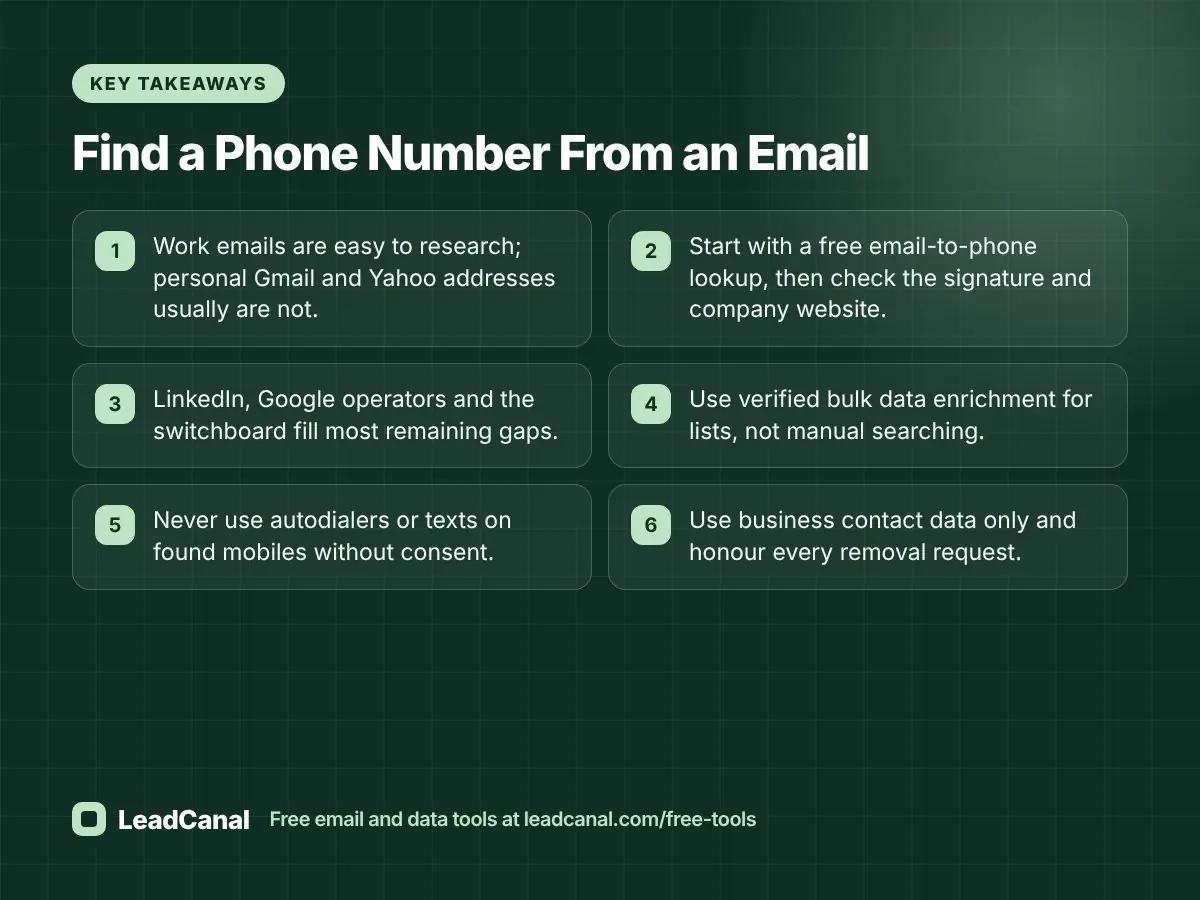
- Work emails are easy to research; personal Gmail and Yahoo addresses usually are not.
- Start with a free email-to-phone lookup, then check the signature and company website.
- LinkedIn, Google operators and the switchboard fill most remaining gaps.
- Use verified bulk data enrichment for lists, not manual searching.
- Never use autodialers or texts on found mobiles without consent.
- Use business contact data only and honour every removal request.
Editorial policy
LeadCanal publishes practical guides for sales, marketing and data teams. Each article is written from hands-on work, reviewed for accuracy before publication, and updated when tools, platform policies or laws change. We do not accept payment for placement, and we correct errors as soon as they are reported.
Content transparency
This guide was researched with keyword data to match the questions people actually search, and its legal points were checked against official documentation from the FCC, FTC, the EU and Google. LeadCanal offers the free tools mentioned here, including the email-to-phone lookup, reverse email lookup and email verifier.
About the author
This article was written by the LeadCanal team. We build verified B2B contact lists, append and clean phone and email data, and run cold email infrastructure for clients every day, so the methods above are the ones we use in real projects. Need numbers for a full list? Request a quote.