How Businesses Can Accelerate LinkedIn Lead Qualification
Quick Answer
Businesses can accelerate LinkedIn lead qualification by targeting prospects that match a clearly defined Ideal Customer Profile.
capturing buying-intent signals, enriching prospect data, asking a small number of relevant qualification questions and automatically scoring leads before they reach the sales team.
LinkedIn Sales Navigator, Lead Gen Forms and CRM integrations can reduce manual research
while a consistent fit-and-intent scoring framework helps businesses prioritise the leads most likely to become customers.
The objective is not simply to generate more LinkedIn leads. It is to identify the right prospects quickly, route them to the appropriate salesperson and avoid spending valuable sales time on contacts who lack authority, need, budget or buying readiness.
Table of Contents
- What LinkedIn lead qualification means
- Why qualification speed matters
- A step-by-step LinkedIn qualification process
- LinkedIn qualification methods compared
- Pros and cons of automation
- Practical B2B example
- Screenshots to include
- Frequently asked questions
- Conclusion
What Does It Mean to Qualify Leads?
Lead qualification is the process of determining whether a prospect is a suitable potential customer and whether the company’s solution is appropriate for that prospect.
A qualified LinkedIn lead normally meets two types of criteria:
Customer fit: The person works at the right type of company, holds a relevant position, operates in a target market and could realistically purchase the solution.
Buying intent: The person has demonstrated interest, identified a problem, engaged with relevant content, requested information or indicated a possible purchase timeline.
LinkedIn distinguishes between several lead stages, including marketing-qualified leads, sales-qualified leads, product-qualified leads and conversion-qualified leads.
The appropriate category depends on the action taken and the prospect’s readiness for sales contact.
Why Businesses Need Faster LinkedIn Lead Qualification
A large contact list does not automatically create a strong sales pipeline.
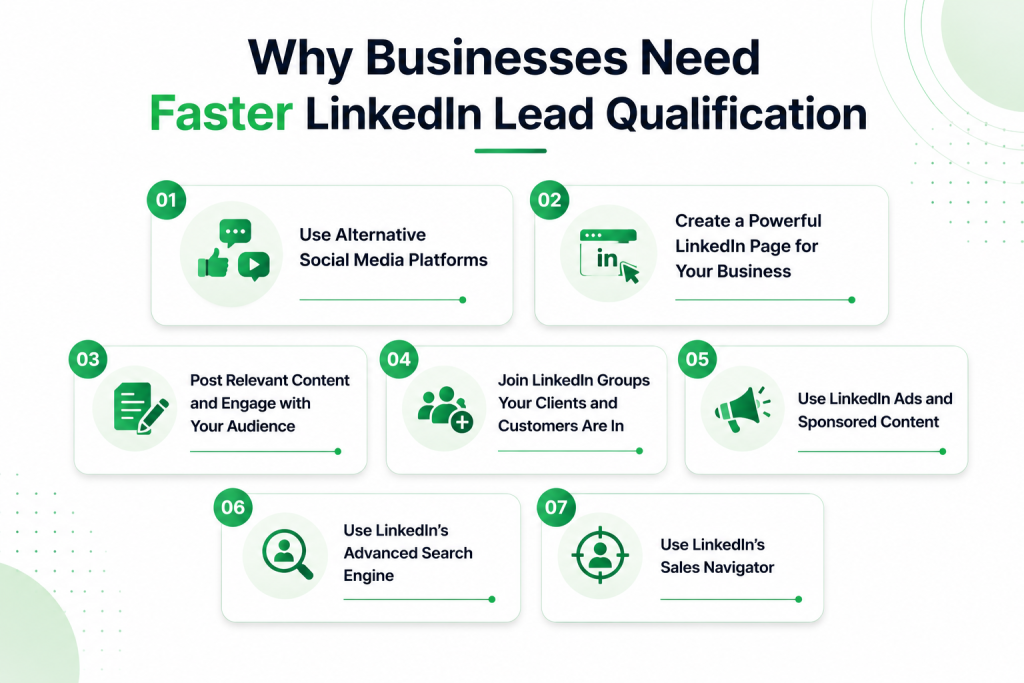
When every LinkedIn response is treated equally, sales representatives may spend time researching students, job seekers, consultants, competitors.
junior employees or businesses outside the target market.
Faster qualification allows a company to:
- Prioritise high-value decision-makers.
- Respond quickly to prospects showing active interest.
- Apply consistent standards across the sales team.
- Separate sales-ready leads from leads requiring nurturing.
- Reduce unnecessary calls and manual profile research.
- Improve reporting between marketing and sales.
The strongest qualification process begins before the first message is sent. It filters unsuitable contacts during prospect selection rather than waiting until after a meeting has been booked.
Step-by-Step Process to Accelerate LinkedIn Lead Qualification
Step 1: Define the Ideal Customer Profile
Start by documenting the exact companies and professionals the business wants to reach.
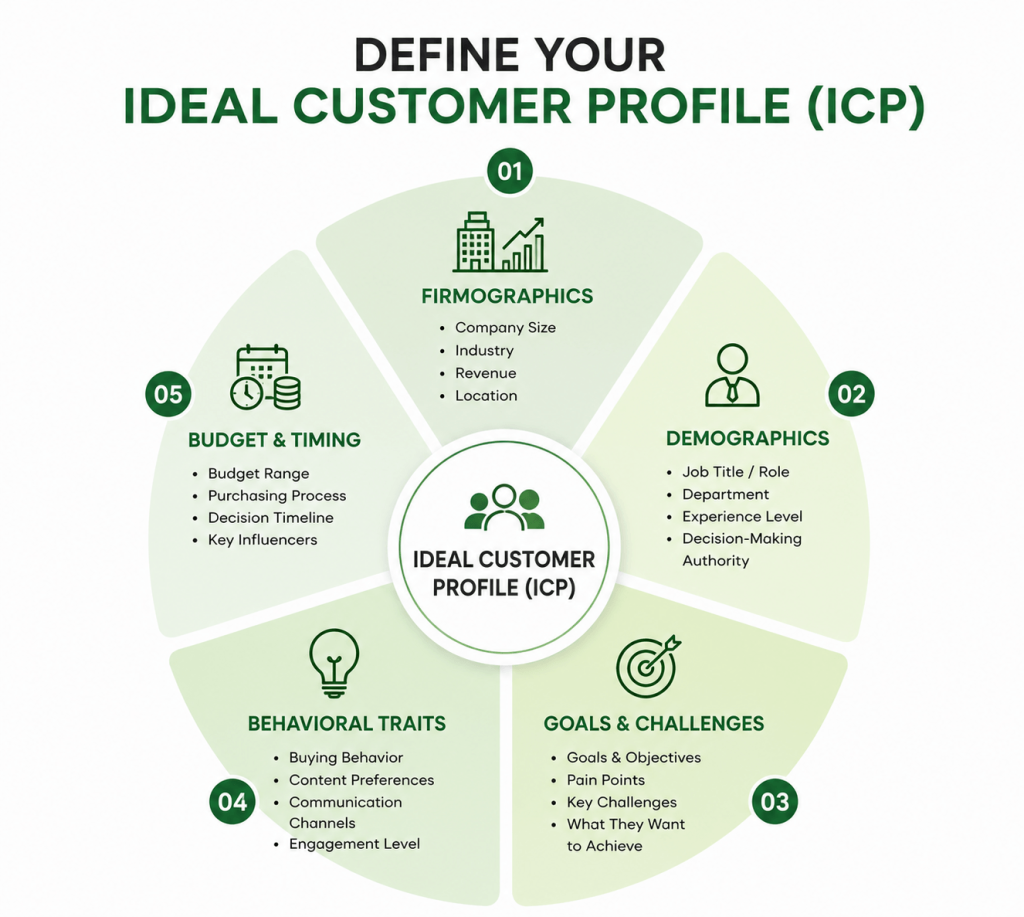
Your Ideal Customer Profile should include:
- Target industries
- Geographic locations
- Company-size range
- Relevant job functions
- Seniority levels
- Common business challenges
- Technologies or services currently used
- Minimum purchasing capability
- Typical buying triggers
Businesses should also define disqualification criteria.
These may include unsupported locations, unsuitable industries, companies below a minimum size, irrelevant positions or prospects seeking employment rather than purchasing a service.
Clear exclusion rules can be as valuable as positive targeting rules because they prevent unsuitable leads from entering the pipeline.
Step 2: Build More Precise LinkedIn Searches
LinkedIn Sales Navigator can be used to narrow searches by factors such as geography, industry, function, seniority and company characteristics.
LinkedIn states that its Advanced Lead Search provides more than 40 filters, although feature availability may vary by Sales Navigator plan.
Instead of targeting a broad category such as “marketing professionals,” a B2B agency might target:
Heads of Demand Generation at US-based B2B software companies with 50–500 employees.
A narrower search may produce fewer prospects, but those prospects are more likely to match the company’s actual offer.
Saved searches and lead lists can also reduce repeated research and help teams monitor newly discovered prospects.
Step 3: Enrich and Verify Prospect Data
A LinkedIn profile may not contain every detail needed for qualification. Businesses can enrich lead records with information such as:
- Company website
- Industry classification
- Employee count
- Business location
- Verified professional email
- Existing CRM status
- Technology used
- Recent funding or expansion
- Previous conversations
- Account ownership
Enrichment should not replace human judgement. Its purpose is to provide sales teams with a more complete record and reduce repetitive data entry.
Before contacting a lead, verify that the person still works for the listed company, holds a relevant role and has not already been contacted by another team member.
Step 4: Capture Intent Signals
Profile fit explains whether someone could become a customer. Intent signals indicate whether that person may be interested now.
Useful LinkedIn intent signals include:
- Commenting on a relevant company post
- Downloading a guide or checklist
- Registering for a webinar
- Submitting a Lead Gen Form
- Replying to a LinkedIn message
- Viewing or engaging with shared content
- Announcing a new role
- Posting about a relevant business challenge
- Experiencing company growth or leadership change
Sales Navigator alerts can help teams monitor changes and activities connected to saved leads and accounts.
LinkedIn also highlights job changes and content engagement as potential reasons to approach a prospect at a more relevant moment.
Step 5: Use Short Pre-Qualification Questions
Do not turn the first interaction into a lengthy application. Ask only questions that will change the next sales action.
Examples include:
- What outcome are you currently trying to achieve?
- Which market, industry or location are you targeting?
- Are you evaluating a solution now or conducting early research?
- Who is involved in approving this type of purchase?
- When would you ideally like to begin?
For LinkedIn Lead Gen Forms, LinkedIn recommends using three to four fields as a best practice and permits up to 12 fields. It also allows up to three optional custom questions.
A short form protects conversion rates, while one or two carefully selected custom questions provide useful qualification context.
Step 6: Score Leads Using Fit, Intent and Readiness
A straightforward scoring model is easier to maintain than a complicated system that the sales team does not trust.
| Qualification category | Example signal | Points |
|---|---|---|
| Industry fit | Operates in a target industry | 15 |
| Company fit | Meets the target company-size range | 15 |
| Role fit | Decision-maker or strong internal influencer | 20 |
| Geographic fit | Located in a supported market | 10 |
| Content intent | Downloaded a lead magnet or attended a webinar | 10 |
| Conversation intent | Replied with a relevant business need | 15 |
| Buying readiness | Has a defined project timeline | 15 |
Example routing rules:
- 70–100 points: Send directly to sales.
- 45–69 points: Request additional information or begin personalised nurturing.
- Below 45 points: Place in a lower-priority nurture sequence or disqualify.
The scoring threshold should be tested against actual closed deals. Sales feedback should then be used to adjust the model.
Step 7: Automate Routing, Not Relationships
Automation works best for repetitive administrative tasks:
- Creating CRM records
- Adding tags
- Assigning lead owners
- Sending internal alerts
- Updating lead stages
- Scheduling reminders
- Preventing duplicate outreach
Sales Navigator plans can support CRM integrations and lead or contact creation, depending on the selected package and connected CRM.
However, automation should not replace thoughtful communication. High-value prospects should still receive messages based on their role, company context, recent activity and probable business need.

LinkedIn Lead Qualification Methods Compared
| Method | Speed | Accuracy | Scalability | Best suited for |
|---|---|---|---|---|
| Manual profile review | Low | High when performed carefully | Low | Small, high-value account lists |
| Basic form filtering | Medium | Medium | High | Paid lead-generation campaigns |
| Rule-based lead scoring | High | Medium to high | High | Repeatable B2B sales processes |
| AI-assisted scoring | High | Depends on data quality | High | Larger datasets with human oversight |
| Sales conversation | Medium | High | Medium | Complex or high-ticket services |
| Hybrid qualification | High | High | High | Most established B2B teams |
A hybrid system is usually the most practical option. Technology filters and prioritises leads, while a salesperson confirms complex requirements and builds the relationship.
Pros and Cons of Accelerated Qualification
Advantages
- Salespeople focus on stronger opportunities.
- Leads receive faster and more relevant responses.
- Marketing and sales use consistent qualification criteria.
- CRM data becomes easier to analyse.
- Duplicate and unsuitable prospects can be removed earlier.
- High-intent contacts can be prioritised automatically.
Potential Limitations
- Weak scoring rules may reject valuable prospects.
- Outdated information can produce incorrect qualification decisions.
- Excessive form questions can create friction.
- Poorly controlled automation may result in generic communication.
- Different products may require different qualification models.
- Automated scores still require periodic human review.
The safest approach is to use automation as a decision-support system rather than treating every generated score as final.
Practical Example: A B2B Marketing Service
The following is an illustrative example, not a claimed client result.
Suppose a marketing service wants to reach US-based software companies with 20–250 employees.
The company initially collects 300 LinkedIn prospects. It then applies the following process:
- Removes companies outside the target location and employee range.
- Excludes irrelevant positions and junior roles.
- Prioritises founders, heads of marketing and demand-generation leaders.
- Identifies prospects who recently posted about pipeline growth.
- Enriches the remaining records with company and contact information.
- Asks interested prospects about their target market and campaign timeline.
- Routes high-scoring responses to sales.
- Places early-stage prospects into a relevant educational sequence.
Instead of asking the sales team to manually review all 300 contacts, the company presents a smaller group of prioritised prospects with clear reasons for qualification.
This is the type of structured workflow LeadCanal can use to help businesses move from broad prospect lists toward more focused and actionable sales opportunities.
Frequently Asked Questions
1. How can businesses accelerate LinkedIn lead qualification?
Businesses can accelerate qualification by defining an ICP, applying precise LinkedIn filters, enriching lead data, monitoring intent signals,
asking brief qualification questions and automatically routing leads according to a consistent score.
2. What is the meaning of qualifying leads?
Qualifying leads means evaluating whether a potential customer matches the company’s target profile, has a relevant need and is sufficiently ready to continue into the sales process.
3. How can businesses generate leads using LinkedIn?
Businesses can generate leads through targeted prospecting, relevant content, employee networks, LinkedIn Ads, Lead Gen Forms, webinars, downloadable resources and personalised outreach.
4. How can businesses get LinkedIn leads for free?
Free methods include optimising personal profiles, publishing useful content, commenting on prospects’ posts, searching by job title,
joining relevant conversations and contacting suitable connections manually.
5. What are LinkedIn Lead Gen Forms?
LinkedIn Lead Gen Forms are native forms attached to eligible LinkedIn advertising campaigns.
They can use pre-filled professional profile information to reduce the effort required to submit details.
6. What are the recommended LinkedIn Lead Gen Form specs?
LinkedIn recommends three to four form fields, permits up to 12 total fields and supports up to three optional custom questions.
The offer headline can contain up to 60 characters, while the optional offer detail allows up to 160 characters.
7. What is a good LinkedIn lead magnet?
A good LinkedIn lead magnet solves a specific problem and helps identify buying intent.
Examples include an industry benchmark, account audit, ROI calculator, checklist, template, buyer guide or short assessment.
8. Should every LinkedIn lead receive a sales call?
No. Sales calls should normally be prioritised for prospects with sufficient fit, interest and readiness.
Early-stage leads may be better served through useful content and personalised follow-up.
Conclusion
Businesses accelerate LinkedIn lead qualification when they stop treating every contact as an equal opportunity.
The most effective process combines precise targeting, verified data, meaningful intent signals, short qualification questions, transparent lead scoring and timely human follow-up.
LinkedIn can provide access to relevant professional audiences, but the quality of the resulting pipeline depends on the qualification system built around that access.
Call to Action
Turn LinkedIn contacts into better-qualified B2B opportunities with LeadCanal.
LeadCanal helps businesses build targeted prospect lists based on relevant industries, locations, company profiles and decision-making roles.
Contact LeadCanal to create a more structured LinkedIn prospecting and lead-qualification strategy for your next campaign.