Can You Use Google One for Business? What It Includes, What Breaks and How to Upgrade
Can you use Google One for business? See what it includes, why it has no custom domain email, and how to move to Google Workspace step by step.
On this page
- What does Google One actually include?
- Can Google One give you a custom domain business email?
- What breaks when a business runs on personal Gmail and Google One?
- When is Google One for business use actually enough?
- Google One vs Google Workspace for business: side-by-side comparison
- How do you move from Google One to Google Workspace step by step?
- Should you use Google Workspace for cold email outreach?
- How do you choose: Google One, Workspace or both?
- Frequently asked questions
- Conclusion: key takeaways
- Editorial policy
- Content transparency
- About the author
Can you use Google One for business? You can use it to get more storage for files your business keeps in Drive, Gmail and Photos, but Google One for business email does not exist: it cannot give you an address on your own domain. Google One is a storage and AI subscription for personal Google accounts. If you want you@yourcompany.com, an admin console and control over who owns each mailbox, you need Google Workspace. Once you switch, run a free MX record lookup on your domain to confirm mail is flowing to Google.
Quick answer: Google One adds storage and AI features to a personal Gmail account. It is fine for a solo freelancer’s backups, but it is not a business email service.
- No custom domain email address, only @gmail.com
- No admin console, no user management and no company ownership of accounts
- You cannot publish SPF, DKIM or DMARC for gmail.com, so you never build your own domain reputation
- For a branded address, move to Google Workspace, point your MX records at Google and migrate your old mail
Free LeadCanal tools for this guide
Check and fix it yourself in a few seconds, no signup needed.
MX Lookup →Domain Health Checker →SPF Record Generator →DKIM Record Generator →
We see this question often from founders who started on a free Gmail address, bought more storage when the inbox filled up and assumed they now had a “business” account. This guide explains what Google One actually includes, what goes wrong when a company runs on it, when it is genuinely enough, and how to move to Google Workspace without losing mail.
What does Google One actually include?
Google One is the paid upgrade for a personal Google Account. According to the official Google One plans page, every Google account starts with up to 15 GB of free storage shared across Gmail, Drive and Photos. Paid plans raise that storage and, on the higher tiers, add Gemini AI features.
At the time of writing, the plans page lists these paid tiers:
- Basic: 100 GB of storage across Photos, Drive and Gmail.
- Google AI Plus: 2 TB of storage plus Gemini app access and Gemini in Gmail.
- Google AI Pro: 5 TB of storage plus wider Gemini access, Deep Research and Gemini in Gmail, Docs and Vids.
Each paid plan lets you share storage with up to 5 other people. That sharing is built for a household, not a team. Members share a storage pool, but each person still has their own separate personal account.
Notice what the plans page does not mention: a custom domain, business email, an admin console or user management. Prices and plan names change by country and over time, so check the official page for current pricing before you buy.
Can Google One give you a custom domain business email?
No. A Google One subscription upgrades the account you already have, and that account ends in @gmail.com. There is no setting inside Google One that connects your domain to Gmail or creates a mailbox like sales@yourcompany.com.
Google’s own help page on using Gmail for your business makes the point directly. It recommends Google Workspace for business use and tells readers to “swap @gmail.com with your own domain” to build customer trust and to create shared addresses such as sales@ or support@.
There is one workaround people try. Personal Gmail can “send mail as” another address, but only if that address is already hosted somewhere else, such as your web host or another email provider. Google One plays no part in that setup, and you still depend on a second mail system that you must secure and authenticate yourself.
Is Google Workspace Individual the same as Google One for business?
Not quite. Google also sells Workspace Individual, aimed at solo professionals who want premium features on their existing Gmail address. It is still tied to a personal account, so it does not solve the custom domain problem either. For a branded address you need a Workspace plan such as Business Starter, Business Standard or Business Plus.
What breaks when a business runs on personal Gmail and Google One?
Running a company on a personal account works until the day it does not. These are the problems we see most often when we audit a new client’s email setup.
1. Prospects and customers see a free address
An invoice or proposal from yourbrand.business@gmail.com looks less established than one from you@yourbrand.com. It is also easier for scammers to imitate, because anyone can register a similar Gmail address in minutes.
2. There is no admin console
Google One has no admin role. You cannot create accounts for staff, reset a password for someone, enforce 2-step verification, suspend a user who leaves or set company-wide security rules. Each person manages their own account.
3. The company does not own the accounts
This is the risk owners underestimate. A personal Gmail account belongs to the person who created it. If an employee builds client relationships on their own Gmail and then leaves, the inbox, contacts and Drive files leave with them. With Workspace, the organization’s admin controls the account and can transfer its data.
4. You cannot authenticate your own domain
Email authentication works at the domain level. With a custom domain you publish an SPF record, a DKIM key and a DMARC policy in your own DNS, using tools like our SPF record builder and DKIM generator. With @gmail.com, Google controls the DNS for gmail.com. You never build a sender reputation that belongs to your brand.
5. Sending limits are tight for a growing team
Google’s help page on Gmail sending limits says a personal account can hit a limit after more than 500 emails sent in a day or more than 500 recipients in one email. Google One storage does not change that. Google’s Workspace sending limits page lists a higher daily limit of 2,000 messages per user, with 500 during a trial.
6. Cold email from Gmail is a reputation risk
Google’s email sender guidelines ask senders to keep spam rates reported in Postmaster Tools below 0.3%, and bulk senders must set up SPF, DKIM and DMARC on their own sending domain. You cannot meet the domain-level parts of that with a gmail.com address. Worse, spam complaints from outreach can restrict the same inbox you use for clients, invoices and logins.
For outbound campaigns we always recommend separate sending domains with their own authenticated mailboxes. Our guide to choosing between Gmail and Workspace for outreach covers the trust side of that decision in more detail.
When is Google One for business use actually enough?
Google One is a sensible purchase in a few narrow situations. It fits when the “business” is really one person and the main need is storage.
- Solo freelancers who already use a client’s systems. If clients give you an address on their domain, your own Gmail only needs room for files and backups.
- Photo, video and document backups. A photographer or designer who needs terabytes of Drive storage for archives can get it without paying per user.
- A side project that does not send email in its own name yet. If nobody outside your circle sees the address, branding matters less.
- Personal AI features. The AI tiers add Gemini to Gmail and Docs on your personal account.
As soon as you hire someone, send proposals to new prospects, run any outbound campaign or need staff to share a support inbox, the limits above start to cost more than a Workspace seat.
Google One vs Google Workspace for business: side-by-side comparison
This table focuses on business email. For a broader feature view, read our explanation of the difference between Google One and Workspace and our plan-by-plan comparison for 2026.
| Feature | Google One (personal account) | Google Workspace (Business plans) |
|---|---|---|
| Email address | @gmail.com only | You@yourdomain.com |
| Who owns the account | The individual who created it | The organization, managed by an admin |
| Admin console | No | Yes: users, security, devices, data transfer |
| Storage | 15 GB free, paid tiers up to 5 TB, shareable with 5 others | 30 GB pooled per user on Starter, 2 TB on Standard, 5 TB on Plus |
| SPF, DKIM and DMARC on your domain | Not possible for gmail.com | Yes, you publish them in your DNS |
| Daily sending limit | 500 emails per day | 2,000 messages per user per day (500 on trial) |
| Shared and group addresses | No | Yes, such as sales@ or support@ |
| Team size | One account, storage shared with up to 5 others | Business plans up to 300 users |
| Free trial | 15 GB free tier | 14-day trial on the pricing page |
Plan details come from the official Google Workspace pricing page and the Google One plans page. Check both before you buy, because Google updates tiers and prices regularly.
How do you move from Google One to Google Workspace step by step?
Moving is mostly a DNS job plus a mail import. Plan it for a quiet afternoon and the switch is usually invisible to your clients.
- Get a domain. If you do not have one, register a short, brandable domain. If you already have a website, use that domain for your main mailboxes.
- Sign up for Google Workspace. Pick a Business plan, enter your domain and create the first admin user. Use a new admin login, not your old Gmail address.
- Verify domain ownership. Google gives you a TXT record to add at your DNS host. Verification proves you control the domain.
- Create users and group addresses. Add a mailbox for each person and set up groups such as sales@ and support@ instead of shared passwords.
- Point your MX records to Google. Replace your old MX records with the ones Google shows in the setup wizard. Our walkthrough on setting up Google Workspace MX records shows each field. Then confirm the change with the LeadCanal MX checker.
- Publish SPF, DKIM and DMARC. Add an SPF record that includes Google, generate a DKIM key in the Admin console and publish it, then add a DMARC record starting at p=none. Our DMARC policy generator and ready-to-copy SPF examples help here.
- Migrate old Gmail data. Use the data migration service in the Workspace Admin console to import mail from the old Gmail account. Move Drive files by sharing them with your new account and making copies, or by downloading them with Google Takeout and uploading them again.
- Forward the old address for a while. Set the old Gmail to forward to your new address and add an auto-reply or signature note so contacts update their records.
- Run a full domain check. Scan the domain with our domain health checker to confirm MX, SPF, DKIM and DMARC are all in place before you send anything important.
- Decide what to do with Google One. If you still want the extra personal storage for private files, keep it. If everything moved, cancel the subscription once the migration is complete.
DNS changes can take time to spread, so keep the old inbox open for a few days and check for stray messages. Run the MX lookup again after 24 hours if mail is not arriving where you expect.
What mistakes should you avoid during the switch?
- Leaving old MX records in place. Mixed MX records send some mail to the old host and some to Google.
- Adding a second SPF record. A domain must have only one SPF record. Merge senders into a single record.
- Skipping DKIM. Workspace does not sign mail with your domain’s key until you generate it and turn it on.
- Using the main domain for cold email. Keep outreach on separate domains so a campaign problem never hits your client inbox.
Should you use Google Workspace for cold email outreach?
Workspace is a solid base for outbound, but only with the right structure. The safest pattern is a few secondary domains, a small number of mailboxes per domain, full authentication, warmup and moderate daily volume per mailbox. Google One cannot support any part of that, because every address it covers is a personal gmail.com address.
If you would rather not build this yourself, our team handles private email server and mailbox setup and ongoing email deliverability management. We also run full cold email outreach campaigns on authenticated infrastructure.
How do you choose: Google One, Workspace or both?
Use this quick decision path:
- Only you, no clients emailing you, storage is the issue: Google One is enough.
- Clients and prospects email you, even if you work alone: get Workspace with your domain.
- Two or more people, shared inboxes or any staff turnover: Workspace, with an admin who is not a personal Gmail account.
- Outbound sales or cold email: Workspace on separate sending domains, fully authenticated and monitored.
- Personal photos and files you want kept separate from work: keep Google One on your personal account alongside Workspace.
Frequently asked questions
Is Google One a business account?
No. Google One is a subscription for personal Google accounts that adds storage and, on some tiers, AI features. Business accounts with admin controls and custom domains come from Google Workspace.
Can I get a custom email address with Google One?
No. Google One does not connect a domain to Gmail. Your address stays @gmail.com. For you@yourcompany.com, sign up for a Google Workspace Business plan and point your MX records to Google.
Can I share Google One storage with my employees?
Paid Google One plans let you share storage with up to 5 other people, but each person keeps a separate personal account. You get no admin control, so this is not a safe way to run a team.
Is it legal to use Google One for a small business?
Using extra storage for your own work files is common. Check the current Google One terms of service before relying on it, and remember the practical limits: no branded email, no admin console and no company ownership of data.
Will I lose my Gmail data if I switch to Google Workspace?
No, if you migrate it. The Workspace Admin console includes a data migration service that imports mail from a Gmail account, and you can move Drive files by sharing, copying or using Google Takeout.
Can I keep Google One after moving to Workspace?
Yes. Google One stays on your personal account, and Workspace runs on a separate work account. Many owners keep both so personal photos never mix with company data.
Why is a gmail.com address bad for cold email?
You cannot publish SPF, DKIM or DMARC for gmail.com, daily sending limits are low, and complaints can restrict the same inbox you use for clients. Use separate authenticated domains instead.
How do I check that my Workspace email is set up correctly?
Look up your MX records to confirm they point to Google, then scan the domain for SPF, DKIM and DMARC. Both checks take seconds with free online tools.
Conclusion: key takeaways
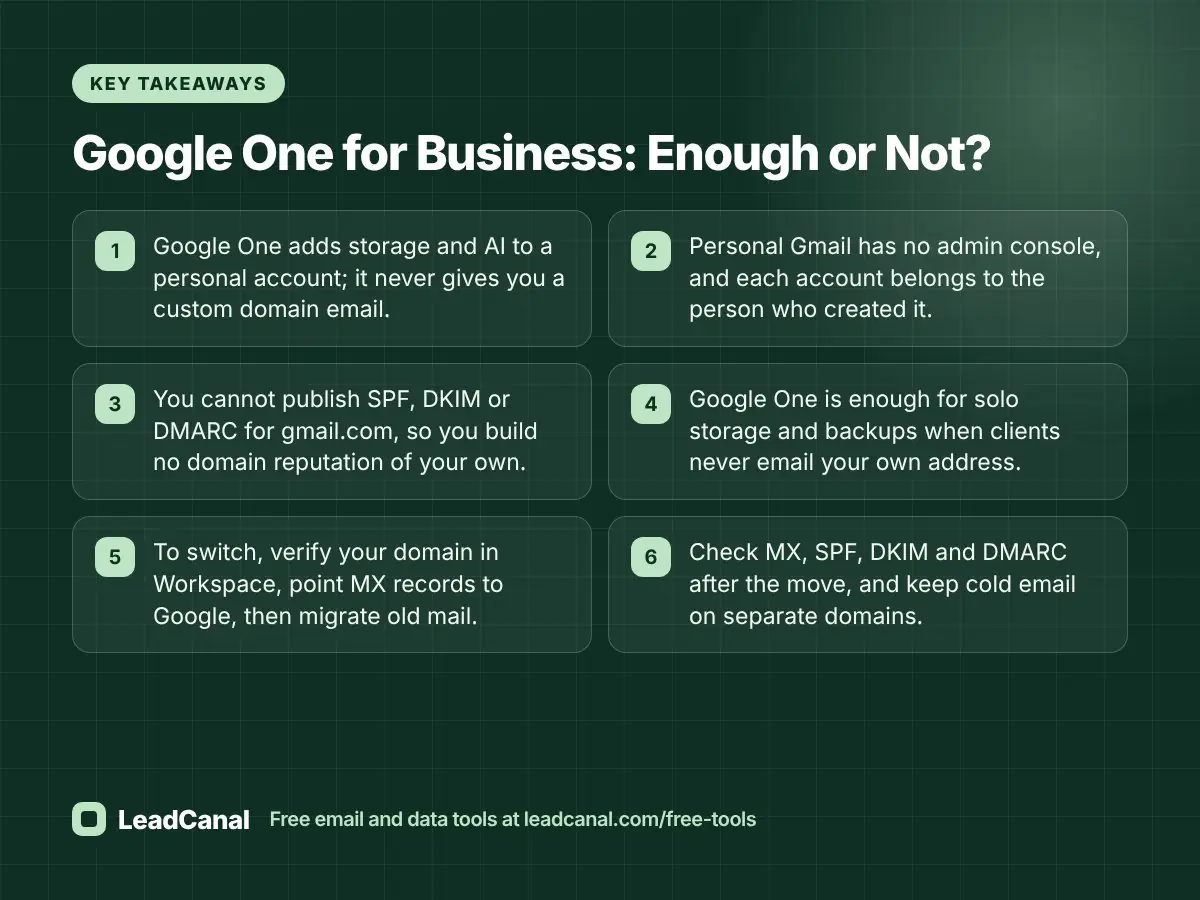
Google One is a good storage plan and a poor business email plan. If people outside your company see your address, move to Workspace and authenticate your domain.
- Google One adds storage and AI to a personal account; it never gives you a custom domain email.
- Personal Gmail has no admin console, and each account belongs to the person who created it.
- You cannot publish SPF, DKIM or DMARC for gmail.com, so you build no domain reputation of your own.
- Google One is enough for solo storage and backups when clients never email your own address.
- To switch, verify your domain in Workspace, point MX records to Google, then migrate old mail.
- Check MX, SPF, DKIM and DMARC after the move, and keep cold email on separate domains.
Editorial policy
LeadCanal publishes practical guides on email infrastructure, deliverability and B2B data. Every article is written to answer a real question our clients ask, reviewed by team members who do this work daily, and updated when the underlying products or rules change. We do not accept payment for placements or rankings in our guides.
Content transparency
This guide was researched with keyword data on what people search about Google One and business email, then checked against Google’s official plans, pricing and help pages at the time of writing. LeadCanal offers the free tools mentioned here, including the MX lookup, domain scanner and SPF, DKIM and DMARC generators.
About the author
This article was written by the LeadCanal team. We build verified B2B contact lists and set up and run cold email infrastructure every day, including Google Workspace domains, mailboxes, authentication records and warmup. The advice here comes from migrating and auditing real business email setups.